Sunday, July 23, 2006

Cambrian House gains momentum


Cambrian House is getting attention in the Web world at the moment.
There are now over 1000 ideas posted (the validity of their potential as original ideas that fit the CrowdSourcing model is yet to be determined), but what it does represent is that the site is getting attention.

The jury is out on whether the IdeaWarz concept is actually putting the best ideas to the top of the Leaderboard. (That is: most viable for the Cambrian House model to implement and turn a profit.)
I think it's clear from going through them that some ideas are just not feasible, while others are not original, others very vague and some just irrelevant.
A better rating system is definitely required, although at the moment I think it's all about creating awareness and traffic, not creating profitable ideas.

I think that to keep the momentum going Cambrian House needs to show some real progress on some ideas to prove the participation in the CrowdSourcing concept is more than just passing curiosity - and ultimately pay out some real rewards for a successful project implemented.

Anyway, in the meantime, I've put my ideas on the right for you to click on and support at your whim. --->

Friday, July 14, 2006

Cambrian House

Cambrian House is a new website that promotes good ideas and turns them into products that can be distributed across the internet.

There are several stages in the evolution of an idea, the first being getting the idea promoted so that it ranks high on the leaderboard.

So here are my ideas currently in the running - please click each of the links below to get my ideas promoted

IMPORTANT: and then click "Yes, Please add my support to this idea!" on the Cambrian House website.

Thx a bunch!

Support 'Chess Card Game' at Cambrian House Check - The Chess Card Game


Support 'DireLogz' at Cambrian House DireLogz


Support 'Online Slideshow Creator' at Cambrian House Online Slideshow Creator


Support 'Ultimate JSF Component Set' at Cambrian House Ultimate JSF Component Set


Support MCE DVCR Scheduler at Cambrian House Windows Media Center Edition Digital VCR Web Scheduler


Support 'Board Game Incubator' at Cambrian House Crowdsourced Board Game Incubator


And while you're there, why not add an idea of your own? It's fun!
:)

Wednesday, July 12, 2006

Melissa O'Neil

I had a great evening taking my daughter to the Calgary Stampede yesterday evening.
The Stampede was not really on the radar this year. It becomes a bit same ol' same ol' after a couple of years.
But this year we had a winner from Calgary on Canadian Idol who has caught my 10 year old daughter's attention: Melissa O'Neil. I have been impressed by the material she has been given for her first album as it has been played around the house this year. Melissa was featured in a live gig at the Stampede this summer and it worked out that I got to take my daughter along with a friend and his daughter.
I got there first from work and noticed that Melissa had come out to sign autographs. I asked Melissa to sign it to my daughter and had a pleasant little chat with her.
About half an hour later my daughter arrived and fortunately Melissa was still out meeting and greeting. The thing that impressed me most was that she remembered my daughter's name from before and even how to spell it. Of course, that made my daughter's day!
Melissa was supported by Rex Goudie, the runner-up in Canadian Idol. Rex was good enough, and when Melissa came on (at 11pm) she was awesome. We were told it was her 18th birthday. It was obviously an emotional evening for her, and her performance was awesome. She's up there with Kelly Clarkson (who I'm not too keen on). I somehow don't think she'll get the same exposure on the international stage, but she certainly deserves it.

(Some) Pop is becoming interesting again...

Like many people, I have become disgruntled with the manufactured pop industry for a while now. I'm sure that the executives and the industry haven't changed that much, but I am noticing some new talent bubbling up.
The first band to really catch my attention recently was Coldplay. I had one of their albums, "A Rush of Blood to the Head" and liked certain aspects of it, but found aspects of it somewhat melancholy. So I held off buying "X&Y" until my wife asked me what I wanted for Christmas.
Turned out to be one of those rare classic albums. Like Joshua Tree. And Brothers In Arms.
Coldplay are now on the A-list.

The other artist that has recently caught my attention is Natasha Beddingfield from the UK. I guess that she's classed as R&B/Soul, although most of the things that I usually disdain about that style are mellowed in Natasha's world to a digestable level. There is a track in the middle of the album, 'Drop Me In The Middle', with a guest rapper which I wouldn't usually give a second listen. However, the hook is so addictive the rap is at first acceptable, and on a few listens actually enhances the track. (The rap is better for it's British accent and poetic style.)
And this is what makes the album, 'Unwritten', stand up for me: the lyrics in the songs are thoughtful and poetic, sung with Natasha's uniquely raspy, soulful voice; the melodies are catchy, often syncopative, without being formulaic. There is not a bad track on the album. And they are Natasha's own. This girl has groove!
Natasha is British R&B's answer to Country's Shania. And judging by the way she is now getting wide exposure in the US & Canada, I think she'll be just as enormous.

Friday, May 05, 2006

20 years of Howard Jones

It all seems like such a long time ago. I was about 16 and my friend gave me a tape of New Order. I listened to "Blue Monday" and thought it was cool. Then I flipped it to the other side and heard the words: "Well you're not, you're not who you think you are - jumbled mass of pre-conceived ideas... Welcome to Conditioning."
Something about those words struck a chord with me, and as I continued to listen to "Humans Lib" I knew there was something unique about Howard Jones.
The music was exceptionally well-crafted new wave pop with interesting layered synthesized sounds, and even more interesting lyrics.
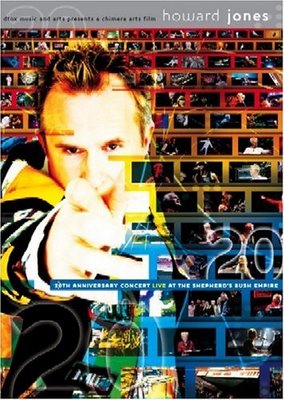

Twenty years later, and Howard's songs still mean as much to me. He has added more great songs to my list of favourites with every album release, making a Twentieth Anniversary Concert the concentration of many of the musical highlights of my life.
Don't get me wrong: I'm not a complete fanatic, I like a very broad range of music. But Howard has stayed at the very top of my list of favourite artists because his music is not shallow, he doesn't try to stay in the same niche and he doesn't give up.
An acoustic concert with Howard Jones is every bit as enjoyable as electric set or a full band.

Which is what makes the 20th Anniversary Concert 2-Disc DVD exceptional. Four sets covering 20 years of some of the best pop music ever written shows us the very best of what Howard Jones has given to the world.
It starts with just him and Andy Ross playing together. But no, not keyboard and percussion, nor keyboard and guitar - but keyboard and some kind of mandolin, which Ross uses as both a string instrument and percussion. Not to be outdone, Howard's next guest, Nick Beggs, brings on his Chapman Stick - a ten string electric bass guitar whose strings are tapped rather than plucked - played almost like a piano with both hands. The skill is incredible - and the synergy is invigorating. And we're only two songs into the gig.
The momentum increases as, after the acoustic set we are treated to a pure nostalgia ride with Howard playing his original synthesizer setup from the mid-eighties era, joined by his signature mime-artist Jed - the 'chain guy'. And with the 5.1 surround mix those synths never sounded better!
With any normal live concert DVD this would be a full meal deal. But this concert is the equivilent of a multi-course Italian wedding feast. Insert the second DVD and the ride continues to get better, with Howard's modern electric set fully utilizing the latest in modern music technology, and his new right-hand man, Robbie Bronniman on the live mixing desk. But we're not listening to house dance music, we're listening to great new Howard Jones pop compositions and reworkings of old favourites which, frankly, rock the house. By the point, the audience is pumped and involved, whether you were there on the night, or witnessing it on this DVD in what genuinely feels like first hand.
Enter the full band for the finale - and what a finale it is. Howard seems to be more in his element than ever behind a grand piano with the full support of guitar, bass, keyboard, drums and backing. Which may well surprise those who narrowly pidgeon-hole him as a synth-pop spiky-haired throwback of the 80's. Howard Jones comes out of his synthesizer contrained cocoon, meta-morphosizing into what Rubert Hine, producer of his first two albums, explains (in the extra features interview) he wants the world to know: "he's an utterly brilliant singer/songwriter."
Until now it's all been about Howard Jones. But this is a special occasion, and so Nena ("99 Red Balloons") joins in to sing her anthem in native German and Midge Ure (Ultravox, Band Aid) performs "Dancing With Tears In My Eyes" and the classic 80's anthem "Vienna".
Howard's band then tops off the evening with some more classics and you're left engergized and astounded.
Fantastic. Buy it.
The best value music DVD out there.

Thursday, May 04, 2006

Using a laptop as a Home Theater PC

This is a copy of a review I did for my new laptop on avsforum.com:

I recently was in the market for a new Laptop PC. I wanted something fairly powerful but reasonably light for my software consulting business.

As I did my research I discovered that several notebooks are now shipping with Windows Media Center Edition. Some notebooks are advertised as Media Laptops and this got me thinking as to what would constitute a minimum requirement for a Home Theater Notebook PC.

Here are my conclusions:

A Home Theater laptop needs to be able to do more than just play DVDs.

Notebooks can be upgraded somewhat to support HTPC features, but to be called an HTPC a laptop must have these features 'out-of-the-box':

  • It should be bundled with common media software, such Windows Media Player, Quicktime/iTunes, and a DVD Player. Ideally it should be bundled with XP Media Center Edition if it's a Windows-based laptop.
  • It must be able to output to an external display device at its native resolution. (DLP TV, Projector, Plasma, etc.) Most laptops these days are capable of that.
  • It must be able to play back DVDs without stutter, and ideally have enough juice and RAM to playback using post-processing software like ffdshow.
  • It should support digital audio passthrough at the hardware level. (Note that there are SP/DIF digital audio USB 2.0 devices available which can upgrade the HT capability of a notebook.)
  • DVD drive (of course) and ideally a DVD-Writer. Front-slot loading style would be a definite advantage.
  • It should be able to store digital media content on it's internal hard drive, and optionally be capable of recording TV content for later playback. (Again USB TV Tuner devices can be added on to give a notebook this capability. I don't consider this an essential feature for a portable HTPC, since you are tied to plugging it in to getting a decent TV signal. This could change as services offering streaming TV over a (wireless) internet connection are now coming online.)
  • It should be capable of being controlled remotely and wirelessly for playback, and also ideally should have special functions on the keyboard for media playback.

From this definition, many modern notebooks could be used as an HTPC. For notebook to be advertized as a Media Center Laptop, however, the majority of these features would be included in the purchase package.

The Candidates

I found a few notebooks within my budget (~CDN $1500) and feature range that I considered candidates:

  1. ACER 5672WLMi - Intel Duo 1.6GHz, 2Gb RAM, 120Gb 5400rpm HD, ATI x1400, XP Home
  2. HP Pavilion dv5040us - AMD Turion64 2.2Ghz, 2Gb RAM, 100Gb 4200rpm HD, ATI 200m, XP MCE 2005
  3. Gateway MX6750 - Intel Duo 1.6 Ghz, 1Gb RAM, 100Gb 4200rpm HD, ATI x1400, XP MCE 2005

All these PCs are in the same price range, footprint (15.4" screen) and weight class. (Around 3kg, 6.5lbs)

I wanted a notebook that needed as little upgrading as possible.
For my purposes, a notebook is first and foremost a portable device and so I didn't want to have too many things to plug in when using it in my Home Theater setup.

Other manufacturers (such as Toshiba, Sony and Fujitsu) offered similar featuresets in a higher price range.

The ACER was pretty much fully loaded feature-wise, with optical digital out and a faster 5400 spin hard drive. For HTPC it lacks a remote control device in the bundle. Based on the 1.6Ghz Core Duo processor it was plenty powerful, and a juicy ATI X1400 card was clearly adequate for all HTPC video processing and modern gaming. Reviews I have read have complained about the general build quality of the ACER machines. I have also heard that the visual quality of the built-in screen has a lot to be desired. The biggest drawback for me was that it was a media center capable laptop but bundled with XP Home. Adding MCE and a remote control to the deal brought the cost too close to $2000.

The Gateway, advertised as a Media Center laptop, comes with Media Center edition, and also an ATI X1400 graphics card. Curiously missing from the feature set however, is any mention of digial audio output. Apart from the fact that sales reps recommended that I take a look at the Gateways, I would not have normally looked at a Gateway. Probably just personal bias.

I went for the Hewlett Packard for several reasons, but mainly because the build quality is reported to be better than the ACER and it comes with Media Center Edition. This means that support for Media Center issues would be part and parcel of the deal. Personally I like the design and robustness of this laptop, and the quality of the brightview widescreen display is truly excellent. (And I got a good deal on it - $200 off the regularly posted price.)

The HP Pavilion dv5040us was advertized as a Media Center laptop. It comes with MCE 2005. It has 2Gb RAM and a 2.2 GHz AMD Turion 64 bit processor, integrated ATI XPRESS 200M graphics and a 100Gb hard drive. One of the major plusses for HTPC use was that it features S/PDIF passthrough as a mini-Toslink optical connection through the dual function 3.5mm headphone jack. When HP also bundles a mini Media Center remote control which slots neatly into the PCMCIA slot, you know that they designed this laptop with Media Center in mind.
By my standards, it pretty much meets the minimum requirements for a portable HTPC. One limitation is the lack of a DVI output port. This may or may not be a problem for you, depending on the inputs of your Home Theater display.

On the slight downside the drive is only 4200rpm (capable but not performant - in a laptop there's usually a trade-off between dirve performance and battery life). The ATI graphics is capable of DVD playback and is fine for HTPC use, but it is a little underpowered for my other hobby: gaming. A more powerful X700 or X1400 chip would have made a lot more sense in a notebook with these specifications. But not a show-stopper, since I play games on my main desktop PC.

Another consideration for a Notebook HTPC is form factor. The placement of the connector sockets can make a difference as you will be connecting and disconnecting the device quite often. The form factor of a laptop is significantly different to a PC, and it can actually have a larger footprint than your typical HTPC.
In the case of the dv5040us, the connectors are all at the sides. I like this for when I'm plugging the PC into the external monitor for work requirements. However, when hooking it up to the Home Theater components, it offers some new challenges. The laptop is about as wide as the other components in my media stack. Inserting a DVD into the laptop is impossible with out moving the laptop to get access at the pop-out drive tray. This could definitely be improved with a front loading drive - ideally slot loading. Plugging in the VGA cable at the side is pretty tight in my cabinet. One criticism here is that the VGA port fit is not snug and there are no screw holes to make it secure. Even though I have not had any serious connection problems, it concerns me a little that the cable does not quite fit properly. Making matters worse, the audio output is on the other side of the laptop, meaning that my footprint is extended by an inch or two on each side, making it a really tight fit in my media cabinet. The fit could be even tighter when adding on dongles into the USB ports, so consider this if purchasing a media center laptop to fit in your rack. Perhaps investing in a docking station might solve some of these issues providing rear connectors, and reducing the need for multiple cable plug-ins when setting up the laptop for HTPC use. (You might even get DVI and coax digital audio outputs to round out the availiable connectors?)

Out of the box, I had a few issues with the software. WinDVD was not properly integrated with MCE and threw out errors on DVD playback, even though it worked fine when launched as a standalone app. The optical digital sound worked fine with no configuration necessary - fine, that is for two-channel sound only. When switched to streaming Dolby digital/DTS 5.1 channel sound it was awful with sound-popping and constant dropouts.
Contacting HP support to get the latest WinDVD oem support download and the latest sound drivers has fixed most of these problems, but I still have detected the occassional sound dropout through my Yamaha receiver. I am confident that this can be fixed through software updates, and I hope they will be forthcoming in the near future.
The ATI drivers are fine for my Home Theater display, which is not as advanced as some of the latest hi-rez TVs and projectors, having only a capability for 800x600 resolution. The laptop worked fine with my borther-in-law's brand new Samsung DLP TV through the VGA input, recognizing its resolutions and looking GREAT.
However, with only a VGA output on the laptop, I could not test the true digital DVI connection to the Sammy.

Overall, I think the dv5040us is adequate as an HTPC. I had a couple of quibbles with the software drivers which are pretty much sorted now. To truly take advantage of MCE you should add a USB2.0 tuner/capture card if you're into PVR, but other than that it's pretty much a full package, which isn't bad for a mid-range, mid-sized laptop. (Incidentally, HP provide a TV capture card as an optional extra for this model. You can also purchase a full-size remote control and a 'car-kit' for strapping into a vehicle for long journeys.) It almost passes on all counts for what it is advertized to be - a Media Center Laptop.

Wednesday, April 12, 2006

Java SWING Survival Guide: Where are we a year later?

In this article, Matt Stephens gives his opinion about the missed opportunities with SWING and Java applets, and makes some suggestions about what could be done to improve the situation in his Java Swing Survival Guide

Is this a pipe-dream or a road map to success. Are his comments visionary, timely, or too little too late?

I think that SWING should be streets ahead of where it currently is by now. I mean, it's nearly 10 years old and it still feels like it's only just starting to walk!

I agree with a lot of what he has to say, and interestingly there are now some initiatives underway to bring SWING up to date. Forthcoming feature enhancements in Java 6 and both SWINGX and the Spring Rich Client project are just two things that may resolve some of the issues mentioned. But they're both a little way off from being truely usable.

I have had the same thoughts about the missed opportunity of Java Applets to really, really shine in the way that Flash have so successfully done. I think Flash caught the attention of the web designers and developers, and application programmers pretty much took a back seat while the whole web revolution happened.

I think it's a true irony, even a subconscious statement of defeat, that when you go to www.java.com (the consumer face of Java) the first thing that gets your attention is a Flash animation!!

But the demand for richer applications may revitalize Web Start and maybe even Applets if enough concentration on great looking applets and applications is made. However, I fear that the talent to make things look great doesn't exist in Sun's corner. I think the applet may be pretty much down and out for the count in the browser arena.

Acceptance of Java needs to be on a more serious level. I think that may more applications that are currently being done as web apps and being retrofitted with AJAX are suited better to being deployed by Web Start. Perhaps this is where the niche can be filled with better, more usable applications?

Comments welcome >

SWING Links from the CJUG presentation

Here are some links discussed in the "SWING Goodies Not Found in the JDK" presentation:

FlexDock Open source docking framework
https://flexdock.dev.java.net/

TableLayout - alternative to GridBag layout
https://tablelayout.dev.java.net/

Official SWING links on Sun.com
JFC/Swing Home Page
http://java.sun.com/products/jfc/index.jsp
The SWING connection
http://java.sun.com/products/jfc/tsc/
SWING Sightings - Lots of real SWING apps to peruse
http://java.sun.com/products/jfc/tsc/sightings/

SwingX - SWING Extensions project (sub-project of SwingLabs)
https://swingx.dev.java.net/

SwingLabs Open Source project
http://www.swinglabs.org

Spring Rich Client Project - First stable release v0.1.0 just released!
http://spring-rich-c.sourceforge.net/

JGoodies
http://www.jgoodies.com/

JIDE Commercial Docking framework
http://www.jidesoft.com/

Javootoo.com - Repository of SWING enhancements, such as look & feels
http://www.javootoo.com

Napkin Look & Feel
http://napkinlaf.sourceforge.net/

Vector based (Flash-like) SWING Look & Feel:
http://www.oyoaha.com

IconCraft - Programmer's Icon Editor (Limited Shareware)
http://www.iconempire.com/iconcraft/

Romain Guy's Weblogs - Developer on Sun's SWING team:
On java.net:
http://weblogs.java.net/blog/gfx

On jroller.com:
http://www.jroller.com/page/gfx?entry=swingx_painters_demo

Tuesday, April 11, 2006

Check for Palm nearly done


One of my pet projects over the last few months has been to program an electronic version of my card game, Check - The Chess Card Game onto the Palm (and other devices).
I have been using Waba, an excellent micro-VM to do it.
I'm just about there with a Beta which needs testing. If you have a Palm device and want to try it out, bring it along to CJUG on Weds 12th April and I'll beam you a copy to play with.
(You need a colour device with 320x320 or greater resolution.)

Once I'm done on the Palm, I plan to port it to J2ME and run it on my phone.

Wednesday, March 29, 2006

Presenting at CJUG next month

The chairman of the Calgary Java User's Group (www.cjug.org) got wind that I was playing around with an Open Source Docking Framework called FlexDock.

As announced at the Sun Java Developer Day Conference in Calgary yesterday, I'll be presenting it along with some other "SWING Goodies Not Found in the JDK" at CJUG on Wednesday, April 12th.
In his keynote, James Gosling mentioned a movement back toward SWING as the framework gets improvements in terms of performance and code efficiency and frustrated users crave richer clients.

SWING might just be coming back into fashion.

Watch this space... I'll post some supporting info here pretty soon.

Wednesday, February 22, 2006

Good design worth blogging about


Last weekend we went camping. Even though it was cold (-15C), the sun was out and we had a great time for most of it. One of the higlights of the camp was a hike into the Ice Caves. Another was a bowl. A bowl? Yes, from IKEA.
What's great about this bowl is that it is one of the best industrial designs I have come across in recent times. And it's only $3.
The bowl has a long vertical handle which makes it stable when standing on a flat surface, and a hole which can act as a spout or for your spoon to go through, and a flat lid that slides out to make a plate or tray. It's made of durable plastic which is microwave safe. I often have soups at lunchtime which need heating up. After five minutes in the microwave, my Chunky Soup was hot but the handle was perfectly cool.
You can drink from it, have soup or noodles, breakfast or a meal, using the plate lid for pancakes or bread. Perfect for camping.

Well done IKEA.

Another interesting game


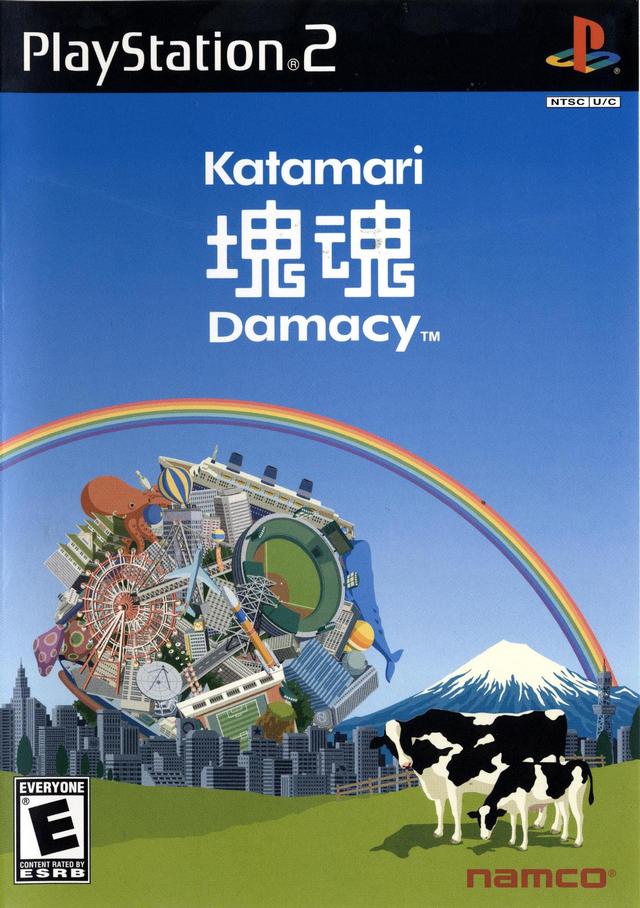
Following on from my other post about original games, the Japanese game for PS2 from Namco, Katamari Damashi has to be one of the strangest, most original and ENJOYABLE experiences in gaming. Not since Lemmings has such a interesting gaming concept come along.
Translated it means somthing like "Prince Roller".
The intro and in-between sequences can only be likened to something like a Monty Python animation mixed with strange Japanese pop-culture.
The essence of the storyline (if it can be called that) is that the King of the Cosmos has somehow caused the stars to fall out of the sky and you, as the young Prince, have the job of making stars and constellations to put things right. How do you do this? Roll up earthly items using your gravity ball (the Katamari) until you reach the desired size. But bump into something too big and you will not only lose momentum, but also some of your precious items will be knocked off reducing the size and knocking you back from achieving the goal.
As the game progresses, you will be placed in various scenarios where the objective is harder and the things to pick up are larger and harder to roll up. The game has a strange humour - eventually you'll be rolling up amimate objects such as cats, cows and even people. The finale level is fun as you eventually get to roll up high rise buildings, small islands, and even clouds!
Apparently it sold hundreds of thousands of copies in Japan and there's now a sequel: "We Love Katamari", and I believe another one is in the pipeline for PSP. You have to see and play it to believe it.

A friend told me there is a 2D simplified version of the game on the net at this location: http://katamaridamacy.jp/qa_data/katamari.html

Tuesday, November 29, 2005

Innovative, enjoyable Games

Interesting blog here on java.net

Ha! Interesting they should mention "No One Lives Forever". I just picked that one out of the bargain bin on PS2 for a Christmas Present. Hope that this version is as good as on the PC.

The FPS games that really took my notice of late is the Splinter Cell series, which very effectively uses excellent AI and the new lighting technology of today's GPUs to create an immersive story-driven game experience with an extra dimension - that of true stealth and espionage. The other game I really enjoyed from it's storybook feel, interestingly from the same developers, was Prince of Persia, the Sands of Time. (Such a disappointment that they felt to turn up the gore and somewhat lose the fantastic epic adventure storybook feel in the sequel. This shows where the focus of the industry lies nowadays.)

Games having true invention like this are becoming more and more rare. The newer game types are coming with new kinds of input device, and in some cases inventive use of new technology enabled by the hardware. Truly original game experiences of late have been things like Dance & Karaoke Revolution series which use floor mat and microphone as input devices and games that use a camera (like the EyeToy) to detect physical body movement. I am looking forward to trying the EyeToy out with my family this Christmas.

My list of truly inventive games over the years starts with Elite. The game that realized the one of the most powerful aspects of game design is imagination. The true skill of game creation is to unleash that power within the gaming environment.

Other games showing true innovation to create a truly memorable gaming experience that come to mind are Lemmings, The Incredible Machine (and it's classic comical counterpart The Incredible Toons) and Battlezone 3D by Pandemic.

Friday, November 25, 2005

Howard Jones - Revolution of the Heart


Howard Jones is my favourite music artist. He makes us wait for his new stuff, but when it comes it doesn't disappoint. You can't rush art.

His new CD came out recently and is available from Howard's DTOX webstore,
Revolution of the Heart (Limited Edition)
and from Amazon.ca:
Revolution of the Heart

This album is a back to the roots rich electronic production with thumping beats and filled with Howard's signature catchy uplifting melodies. It doesn't feel formulaic, however. As I have come to expect from Howard, the lyrics are thought-provoking and topical. This is not shallow lovey-dovey manufactured pop.
It's fresh and smart with a lot going on in the production department to keep it interesting on subsequent listenings. It's definitely a grower, and you'll find yourself singing the tunez long after you've left the house.

There is not a bad track on the album, and it's obvious that Howard and his co-producer Robbie Bronniman have put their heart and soul into every aspect.

"Celebrate Our Love" is a strong intro track. I also much like the first single, "Just Look At You Now", the title track "Revolution of the Heart", and especially "Stir It Up", which I think would make a great single if Howard manages to get back in the limelight with this one.
The album doesn't slow down and you are left with the strong driving beat of "For You, See Me" ringing in your ears and a voice inside you saying "That was great - let's do that again", as you almost subconsciously reach for the Play button to restart the experience.

I got hold of the limited edition Australian release which has a bonus CD containing dubs and remixes. Of the new tracks, the John B Drum and Bass mix of "For You See Me" is the only ROTH track that I really prefer to listen to over the album version. It is extremely catchy and danceable and actually enhances the album track. The remixes are meant to be danced to, and are probably great for that, but are a bit repetitive when they are just passively listened to. We have more than just remixes of new tracks. We have some new takes on classics like "Things Can Only Get Better" and "What Is Love". The other highlight of this disc, is the remake of "Like to Get to Know You Well" by The Young Punx called "Slip Away" which they released under the name "Mohito".
This is a great new angle of a classic song in the vein of many other similar tracks which are reviving the dance clubs with a fresh rejuvenation of classic 80's tracks.

The Australian release can be found here:
Revolution of the Heart [Import]

ESRB: [ND-13] Only slightly nerdy

I am nerdier than 56% of all people. Are you nerdier? Click here to find out!

Dare you to find out how much of a nerd you really are!

Thursday, November 03, 2005

Bag that! Eclipse way off base with Visual Editor.

The AWT GridBagLayout has been around for a long time. It takes some getting used to but once mastered is the mother of all layout managers, enabling just about any configuration of components
... and that's the problem...
all too often what you get is not quite what you want.

The quirks of the GridBag are well summarized by Totally GridBag a must-see animated blog by a developer who probably discovered a better way! (...more about that at the end.)

For anyone who's tried, a few helper classes usually are in order to prevent the types of problems that guy was having, as is well described in the 1000-page book "Master the GridBagLayout in just 99 days", which has 10 chapters on the idiosyncrasies of the 101 parameters of the GridBagConstraints class. (The book doesn't exist - I'm still writing it. Or rather, Eclipse is. They have probably added about another 5 chapters with their new Visual Editor.)

So with the GridBag being such a veteran of the Java world, you'd think that they might have actually have got somewhere with Visual GUI Designers by now. So after seeing the new features of the Visual Editor, keenly I download the Eclipse plug-in with high expectations. And at first it's not bad! I manage to develop a pretty neat looking GUI which allows me to add components here and there. My previous knowledge of GridBag helps me out, I'm sure - so I'm not sure how a newbie would fare, but all-in-all, Good stuff. Much better than writing all that tedious UI code, even with helper classes.

UI looks good, time to save & go home.

Next day - Katrina strikes. I open up the Visual Editor once more to add a few buttons and some new fields. So I start plopping a few components onto the canvas. All looks good. Go to save my work and "Oh no!" dialog pops up. "The class you are trying to save has compile errors - Proceed?"

What the heck kind of code has this thing been writing behind my back? So I go into to see my code in tatters. Not only has it hashed things up, it has done so royally. I find references to contraint objects that weren't created, and much, much worse, generated code inserted in the middle of other code, even inserted into comments. So I back out the changes, one undo at a time to see the UI in the visual view disappear right before my eyes. Now that's toally messed. Good job I didn't save the thing half-way through!

So a little more evaluation leads me to discover that:

  1. it's almost impossible to make changes to my UI in its current state (every time I try the code is inserted at the wrong place),
  2. the code it generated even before the compile errors is so messy and convaluted it's not even worth trying to maintain by hand and,
  3. the grid references in the GridBagLayout have gaps.

(I also found issues with how the vanilla GridLayout is handled too, but this blog is too long already.)

Time to find a better way.

Enter the TableLayout manager. It's been around for a long time, almost as long as the infamous GridBagLayout. Maybe everyone else knows this already and I'm slow on the uptake...

A little planning up front is always a good idea. For this layout, you want to have a good idea of how many rows and columns in your grid up front.
Add your row and column dimensions as arrays of doubles. For each dimension, specify absoutes as positive integers, percentages as a decimal between 0 and 1, or get it to respect PREFERRED sizes or FILL available space.

Components are added using a formatted string convention in the constraint argument:
"1,3" - add component to col 1, row 3
"1,3,4,6" - add component to col 1, row 3; spanning cells to col 4 row 6
"1,3,R,T" - add component to col 1, row 3; horizontal align right, valign top
"1,3,4,6,R,T" - all of the above

Here's a snippet:

TableLayout layout = new TableLayout();
layout.setColumn(new double[]{TableLayout.PREFERRED, TableLayout.PREFERRED});
layout.setRow(new double[]{TableLayout.FILL});
layout.setHGap(4);
modulePanel = new JPanel(layout);
modulePanel.add(new JLabel("Action:"), "0,0");
modulePanel.add(new JButton("Click Me"), "1,0");

or if you prefer:

...
double[][] colsRows =
{
{TableLayout.PREFERRED, TableLayout.PREFERRED},
{TableLayout.FILL}
};
TableLayout tableLayout = new TableLayout(colsRows);
modulePanel = new JPanel(tableLayout);
modulePanel.add(new JLabel("Action:"),
new TableLayoutConstraints (
0,0,0,0,TableLayoutConstants.RIGHT, TableLayoutConstants.TOP
)
);
modulePanel.add(new JButton("Click Me"), new TableLayoutConstraints(1,0));
...

This definition string thing feels a little strange. But in practice it's a nice, welcome shorthand.
However, if you want a more conventional, type-safe API then the TableLayoutConstraints object can be utilized instead.

This grid doesn't care if there are vacant cells. It doesn't even care if there is more than one resident in the same cell - it will render them all!
Add some padding to the layout with HGap and VGap, and either add a standard border or create a margin by adding blank rows and columns around the edge.
Did I say 'adding rows and columns'? I certainly did! this puppy allows you to create your component grid and then mess with it dynamically after the fact in code or at runtime! They even have an example of how to create animation in the grid by messing with the settings in real time.

Some observations:

The documentation thinks it's a good idea to add blank columns and rows as borders. I don't have an issue with having the option to do it, but Borders are also a viable option that shouldn't be overlooked.

The TableLayout guys present the layout manager as a one size fits all solution, and see it as an advantage to not have to use nested layout managers. I think that nesting layout managers is a wise technique for complex forms, whatever manager you use. The good news here is that TableLayout is often a better (or at least equivalent) alternative to the more simple layouts like FlowLayout, BoxLayout and GridLayout and even BorderLayout. So my gut feel is that nesting TableLayouts sensibly is good advice. (For example, when you find yourself adding a column for one field and you find that every thing else has to be adjusted to span it.)

This is almost an aside, or maybe a note-to-self: Managing layouts during development is almost always a pain when you want to add a field in the middle of a bunch of other fields. A technique to add the components from a dynamic array or collection would not be a waste of effort in conjunction with this layout manager, IMO.

Baffles me why this hasn't been adopted by Sun so everyone can benefit?

Monday, October 24, 2005

ICEfaces

Had an interesting demo of ICEfaces at the ICEsoft offices the other day. I'm building a next generation web application with JSF - ICEfaces brings us into the world of AJAX and dynamic page rendering with its enabling technology. I'm hoping for more components to show off the dynamic nature of the framework, and may well end up writing some myself.

Unfortunately for ICEsoft, the JSF landscape is rapidly changing with the popularity of MyFaces and Facelets, and with Shale and Clay on the horizon, but they're doing a grand job of keeping up and already have MyFaces support and are madly working on Facelets integration.

The folks at ICEsoft have had some good exposure recently when they presented their technology at JavaOne, and they have some interesting demos on their site, with more to come. I look forward to their presentation at the Calgary Java User Group (CJUG) next month.

Friday, October 21, 2005

All else pales...


Our newest arrival Jessica was just born!

Jessica Rachael Biggs
9th October 2005
7lb 6oz

Friday, October 07, 2005

Swing Sings with Spring (and activeMQ-ing)

Now I’m officially impressed – so much so I have to blog about it. Not long ago we had an important breakthrough at work. We actually put our thinking caps on and decided that (against all corporate neo-conventional wisdom) a web app was not the most appropriate platform architecture for our application. (I know, radical isn't it!)

Phase one had been done as a web app, with some good reason, but the reality is, we have a few specialized users at the same site who need a reliable, interactive monitoring application. There is no need for distributed no-client deployments across the net - on the contrary: a definite need for a richer client that allows control over the GUI container. A web browser controlled by javascript to me just did not fit. (For the record, I think there are a lot more applications that fit this definition that are implemented in a web browser that shouldn’t be, but that’s the subject of another blog.)

So once we’ve convinced the business users that there is a better way (even an alternative way!) the obvious answer to our client is SWING. Hooray! At last I’m writing real apps again!

Swing often talks to the back-end via RMI (unless you’re trying to shoe-horn it into some web app backend. I’ll let you picture that ugly picture in your mind before you realize for yourself what a clunky idea it is! And no, that’s not a dig at JSF. JSF is cool done right. And eventually it will be as soon as Sun takes the JSP out of their proverbial backend.)

So I start looking at how to do RMI the Spring way. Using the Spring RmiServiceExporter I was able to neatly encapsulate the RMI implementation in the Spring configuration. Life is pretty good.

The need for a reliable system architecture on the server-side is definitely on the requirements list. Usually we would look straight at an application server to fulfill these types of requirements, but while we’re being radical about front-ends, why not question the whole gamut?
So we start thinking about a more distributed service-oriented architecture. A new world where services run happily decoupled from each other advertising their wares across the ether. Not caring where they live or who they work for. A free J2EE world full of peace love and understanding.

The more we talk about it the more we like it. What if the app server goes down? All our services go down with it. Why use an app server then? Why not run the services independently, each in their own process space? Now that’s starting to sound interesting!

We’re starting to sing the song of better, lighter, and maybe even faster Java. (Ref: Bruce Tate) I haven’t read his book and wasn’t able to meet the man himself at NO Fluff Just Stuff this weekend, due to the fact that my wife will be giving birth any day now, but I’m sure he’d approve.

But hang on, party’s over: How are these happily independent services going to talk to each other? The distributed service architecture requirement is starting to sound a lot like JMS, and don’t we need an application server for that?

Before diving in, this is a prime opportunity to see what the Spring world has to offer…
A quick Google on Spring and JMS and you can’t help but stumble upon LogicBlaze’s ActiveMQ open-source message broker. A few links later and Craig Walls, author of Spring In Action, comes to the rescue with a very interesting blog on doing JMS the Spring way with the help of ActiveMQ. He dubs the technique Message-Driven POJO’s (MDP’s), modifying the Sun acronym, MDB - Message-Driven Beans (EJBs, that is).

Craig’s first Blog is great, but one thing still remains by his own admission, the need to implement the Message interface. Not to be outdone, it’s not long before he Blogs again about another great library from LogicBlaze – Lingo. This is the missing link as far as Spring is concerned. Now we can complete the decoupling from the JMS implementation.

http://jroller.com/page/habuma?entry=message_driven_pojos_2_the

So how does this all work in practice?
In a word – brilliantly.

Once I got my head around the abstractions, that is! After lots of deep thought about what is and is not necessary to implement, how things should be wired together and even how to reference the beans meaningfully, suddenly I found myself in Spring heaven. All I have to do is start up the ActiveMQ broker, start up my services one by one, and let the messages flow!

I have several services publishing to a JMS topic, all happily doing their own individual things, pumping their messages out into the world.

Why is this great?

i) Well first of all, each service is happily running in its separate process space – it has a VM all to itself. So if the service goes down, everything else stays up. And neither does it have to run on the same physical machine. No does it have to be the only one of it’s kind. I can start up several of the same services on different servers, publishing the same information to the queue and I have automatic fail-over.

ii) There is no application server in sight. But if I decide (or someone else decides!) I need one, I can use it as a container for my services with little trouble. All indications are that ActiveMQ will sit happily within a servlet container or application container. But please tell me why this is a good idea after taking i) into consideration.

iii) Because there is no indication whatsoever in the implementation classes that JMS is the transport.

The proof of this is in the testing. It took me the lesser part of a day to configure a Spring configuration to test all of my services WITHOUT JMS. No mock objects or heavy test containers required. Just plain & simple JUnit. Now that’s impressive!

Spring has Sprung. And it’s beautiful outside.

Q.E.D.